



Individual
Member Benefit eCredits 2026 – 2027
Posted on 9 April 2026

Loyalty Offerings
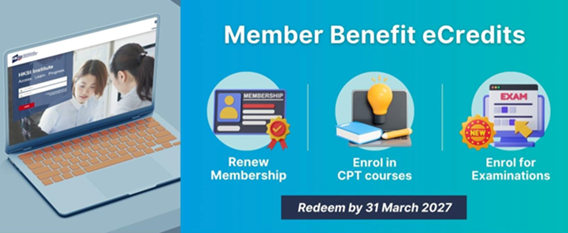
Complimentary eCredits will be issued to eligible members’ Online Portal account on 14 April 2026, as a token of appreciation for continued support. The eCredits can be utilised for enrolment in examinations and professional development courses, and for settlement of annual membership subscription fee. We hope that these eCredits enhance members’ experience and provide valuable opportunities for growth and advancement.
The eCredits must be redeemed by 31 March 2027, 23:59:59 hours, to remain valid.
|
Membership Class |
Annual Fee |
eCredit Value |
|
Senior Fellow |
HKD1,800 |
HKD 300 x 6 = HKD1,800 |
|
Fellow |
HKD1,500 |
HKD 300 x 5 = HKD1,500 |
|
Ordinary Member |
HKD1,200 |
HKD 300 x 4 = HKD1,200 |
|
Associate Member |
HKD600 |
HKD 150 x 4 = HKD600 |
|
Student Member |
HKD300 |
HKD 50 x 3 = HKD150 |
Welcome Gift
New Student Members who are currently undergraduates, will be eligible to receive a welcome offer of HK$150 eCredit upon the approval of their membership application.
For other classes of new members, the welcome eCredits will be allocated on a pro-rata basis of the membership annual fees paid, distributed quarterly, depending on their membership start date.
How to use the eCredit?
Log in to the HKSI Institute Online Portal
- To view your eCredit status and its terms and conditions, click “ECREDIT” from the menu.
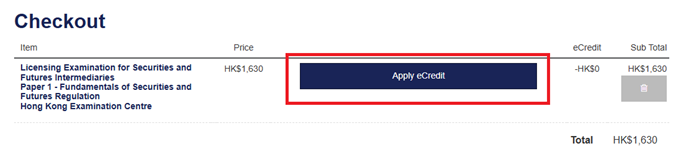
- To apply your eCredit for examinations, professional training classes and webinars, explore the CPT training activities under “ENROL NOW” and click “Add to Cart” for your selected activity. At “Checkout”, you will find the “Apply eCredit” button for eligible activities. The payable amount, if any, will be calculated after applying the eCredit. You can also refer to our tutorial video here for assistance.
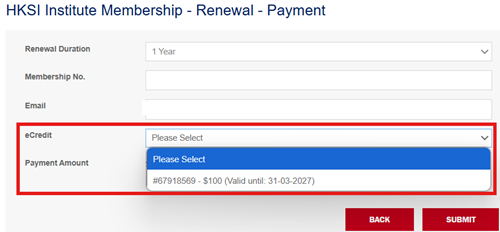
- To utilise your eCredit for membership renewal, go to “MEMBERSHIP” and click “Payment” after submitting your “Declaration”. The payable subscription fee will be calculated once you select and apply the eCredit.
Note:
- Click here to activate your account if you are new to the Online Portal and have never logged in. A first-time login email will be sent to you for your creation of username and password.
- Visit the login page and click “Forgot username/password?” if you have forgotten your username or password.